
Releasing Mercedes-Benz Electric Parking Brakes to Replace Brake Pads
Reviewed/Verified by:

Before you replace the rear brake pads on a Mercedes with an electric parking brake, the parking brake has to be put into its service (fitting) position. This guide shows how to do it from the instrument cluster service menu, without a scan tool.
At a Glance
- Applies to most 2015 and newer Mercedes with an electric parking brake (C, E, S, GLA, GLC, GLE, GLS).
- Chock the wheels, release the parking brake, then switch the ignition on without pressing the brake.
- Hold the Phone and OK buttons on the steering wheel for about five seconds to open the service menu.
- Choose Brake Pad Replace, then Fitting Position; you will hear the calipers retract.
- After the job, press OK to reset, then pump the brake pedal before driving.
- Menu not working: a full system scanner can set the service position.

How to Safely Release Mercedes-Benz Electric Parking Brakes to Replace Brake Pads
Procedure
- Chock the wheels so the car cannot roll once the parking brake is released.
- Enter the vehicle and close the driver’s door.
- Release the parking brakes by pressing the button on the dashboard. If the parking brake is engaged, you will not set the parking brake in the service position.

- Without pressing the brake pedal, press the START button. If your car doesn’t have the START button, turn the key in the ignition with one click. Ignition should be known as Position I. Dashboard lights up, but warning lights should not be on.
- Make sure MILEAGE is shown on the instrument cluster. If not, use the steering wheel buttons to display the miles. Scroll to TRIP, then press OK.
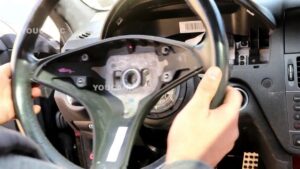
- Press and hold the Phone button and the OK button on the steering wheel for about five seconds.

- The service menu will be displayed on the dashboard. Scroll down to Brake Pad Replace, then press OK.
- Press OK to move to the Fitting Position. You should hear the parking brakes move to the service position.
- Service the rear brake pads. Once you finish the service, press OK to reset the parking brake. Then pump the brake pedal several times before driving so the new pads seat against the discs.


Most 2015 and newer Mercedes-Benz vehicles, such as C, E, S, GLA, GLE, GLC, and GLS, are equipped with Electric Parking Brakes. If you have problems with the electronic parking brake or getting a warning message, see this article.
Releasing Parking Brake Using YOUCANIC UCAN-II Pro
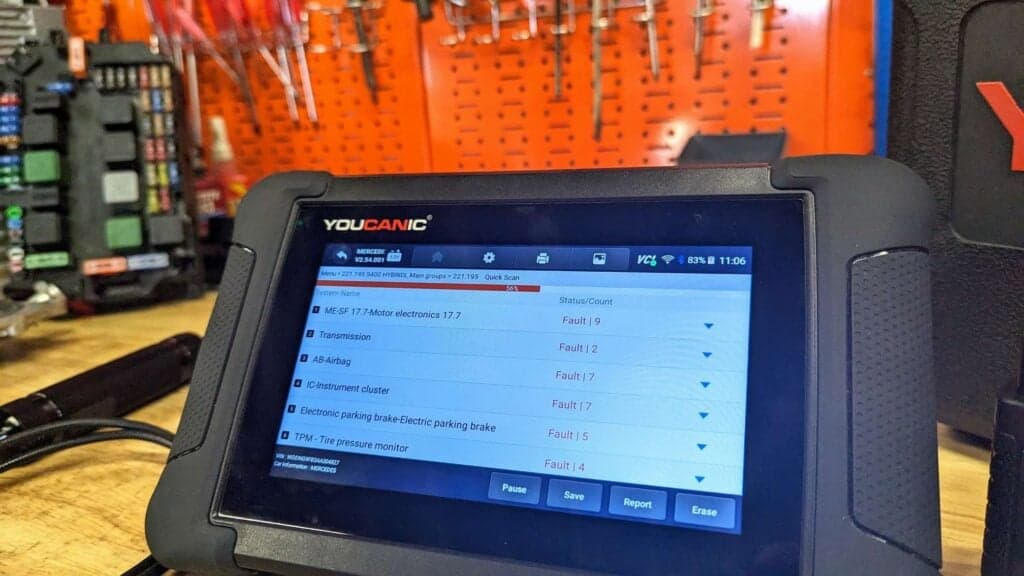
The scanner can release parking brakes on your Mercedes-Benz. This is helpful if the above procedure isn’t working properly. It can also perform read and clear codes from all the systems in your vehicle.

🔧 Find out what is actually wrong before you pay someone to guess
Dealer level diagnostics at home with the YOUCANIC UCAN-II Pro.
- ✔ Covers most makes and models, including many luxury brands. Send us your VIN and we will confirm your car before you order
- ✔ Reads every module, not just the engine, so you find the faults a basic reader says are not there
- ✔ Commands the car: test a fan or pump, bleed ABS, retract an electronic parking brake, register a battery
- ✔ No subscriptions. Free lifetime updates, so the price you pay is the whole price
- ✔ Backed by real mechanics in the USA you can email before and after you buy
Featured in The Wall Street Journal
Conclusion
Understanding how to release the electric parking brakes and replace brake pads on your Mercedes-Benz is crucial for maintaining optimal vehicle performance and safety. By following the guidelines in this article, you can confidently perform this maintenance task with ease, ensuring the longevity of your luxury automobile. Always prioritize safety, use the appropriate tools, and consult your vehicle’s manual or an expert if you encounter any uncertainties. Your Mercedes-Benz deserves the best care possible, and mastering these essential skills is a step in the right direction.
Why You Cannot Just Push the Piston Back
On an electric parking brake, a small motor on the rear caliper drives a spindle inside the piston. Forcing the piston back with a C clamp or spreader while the spindle is extended can strip the gears or damage the motor. Putting the system in the fitting position retracts the spindle first, so the piston can then be pushed back normally.
If the Service Menu Does Not Appear
- Make sure the ignition is on and the engine is off, and that you are not pressing the brake pedal.
- Check that the parking brake is released and the battery voltage is good.
- Some models hide the menu or use a different button sequence. A scan tool such as the YOUCANIC UCAN-II Pro can set the parking brake service position on supported models.
Frequently Asked Questions
Do I need a scan tool to replace Mercedes rear brake pads?
Not on most models. The instrument cluster service menu can put the electric parking brake in the fitting position. A scan tool is the backup if the menu is not available.
What happens if I forget to reset the parking brake after the job?
The parking brake stays in the open position and may show a warning. Go back into the menu and press OK to reset it, then apply and release the parking brake a few times.
Why do I need to pump the brake pedal afterward?
Pushing the pistons back leaves a gap between the pads and rotors. Pumping the pedal moves the pistons out so the brakes work on the first press.
Check these troubleshooting and repair guides for more help on your Mercedes-Benz.